Optimizing Your Product Page: Balancing Trust Signals and Design for Higher Conversions
Hey there, fellow store owners and e-commerce operators! Ever found yourself staring at your product page, wondering if it's truly doing its job, or if you're accidentally scaring customers away? You're definitely not alone. This exact dilemma came up in a recent community discussion that caught our eye, and it's packed with insights we just had to share for merchants running Shopify, WooCommerce, Magento, Wix, BigCommerce, PrestaShop, or similar storefronts.
The original poster (let's call them "the OP") had a classic problem: they'd been told their product page lacked trust signals. So, like any diligent merchant, they beefed it up with warranties, phone numbers, customer photos, and detailed shipping info. Good move, right? Well, then came the next worry: all this extra goodness made the page feel "spammy" and "cheap." Their proposed solution? Move the entire product card—the core information and buy button—to the very bottom of the page, after all the photos and specs.
Now, this is a common instinct. We add more, it feels crowded, so we want to hide it. But what did the community say? The resounding advice, especially from one particularly insightful respondent, was clear: don't move your core trust signals and purchase options away from the top.
Why Hiding Trust is a Bad Idea
Think about it. When someone is looking at a high-value item—in the OP's case, a sauna costing over $4,000—they aren't just browsing. They're making a significant decision. They need to know about shipping costs, warranty details, and whether your store is legitimate before they invest time scrolling through lifestyle photos. Burying these critical pieces of information punishes the most engaged, ready-to-buy customers. As one community member put it, the problem wasn't the presence of trust signals, but their presentation.
For any product, but especially for higher-ticket items, buyers are looking for validation and reassurance. They want to quickly confirm "Is this real?" and "Can I trust this seller?" before diving into the details. Delaying this crucial information creates friction and doubt, potentially leading to abandoned carts and lost sales.
Beyond "Spammy": The Real Culprit is Visual Hierarchy
The feeling of "spammy" or "cluttered" often comes down to visual hierarchy, not the content itself. The community highlighted several key areas where the OP's page could improve, offering lessons for all of us:
-
Duplicated Information Creates Noise: The OP had shipping information repeated verbatim in three different places. While transparency is good, repetition is not. Present a condensed version near the "Add to Cart" button (e.g., price, freight cost, estimated shipping days) and keep the full, legal-grade detail in a collapsible section (like an accordion) lower down the page.
-
Cluttered Buy Box Overwhelms Decisions: The buy box had too many options (heater selector, accessory package, free-gift selector) with equal visual weight. This makes it hard for the eye to discern what's optional versus required. The solution? Visually de-emphasize upsells and optional extras (smaller font, lighter color, secondary styling) so the core purchase decision remains dominant. Make "no heater / no package" an obvious default.
-
Disconnected Social Proof: "14 customer photos" appeared mid-page, while the actual review section with names and star ratings was much lower. Your star rating and review count are powerful trust signals. Pull them up near the product title and price. If you compute "4.9 stars, 9 reviews," that one line belongs right under the product title, where it can immediately build credibility.
-
Misplaced "Do Your Research" Links: The OP included links to external research sites (like SaunaTimes and Architectural Digest) directly on the product page. While well-intentioned (radical transparency), actively sending high-intent buyers away from checkout to research elsewhere is self-sabotaging. Move such links to an "About" or "Learn" page where they can support brand trust without interrupting the purchase flow.
Actionable Product Page Optimization for E-commerce Success
Based on these insights, here's a recommended structure for a high-converting product page that balances trust and clarity:
- Prominent Product Title and Price: Clear and easy to find.
- Star Rating and Review Count: Immediately under the title/price for instant social proof.
- 2-3 Word Value Bullets: Highlight key benefits like "Free Shipping," "X-Year Warranty," "30-Day Returns."
- Streamlined Buy Box: Core purchase options dominant, upsells de-emphasized.
- Product Gallery and Lifestyle Content: High-quality images and videos.
- Full Specs/FAQ/Policy Detail: In accordions or collapsible sections to keep the page clean.
This order front-loads trust without needing to delay it behind the photos. The instinct to add more proof was correct; the instinct to hide it behind the gallery is the wrong fix. What you actually need is tighter hierarchy, not relocation.
The Unseen Trust Factor: Website Performance and Uptime
Beyond the aesthetics and layout of your product page, a foundational trust signal is reliability. Is your website always available and responsive? An effective website uptime checker is an indispensable tool for any serious merchant. Imagine a customer finally convinced by your perfectly optimized product page, only to find your site unresponsive or painfully slow. That's an instant trust killer, regardless of how well-designed your product card is.
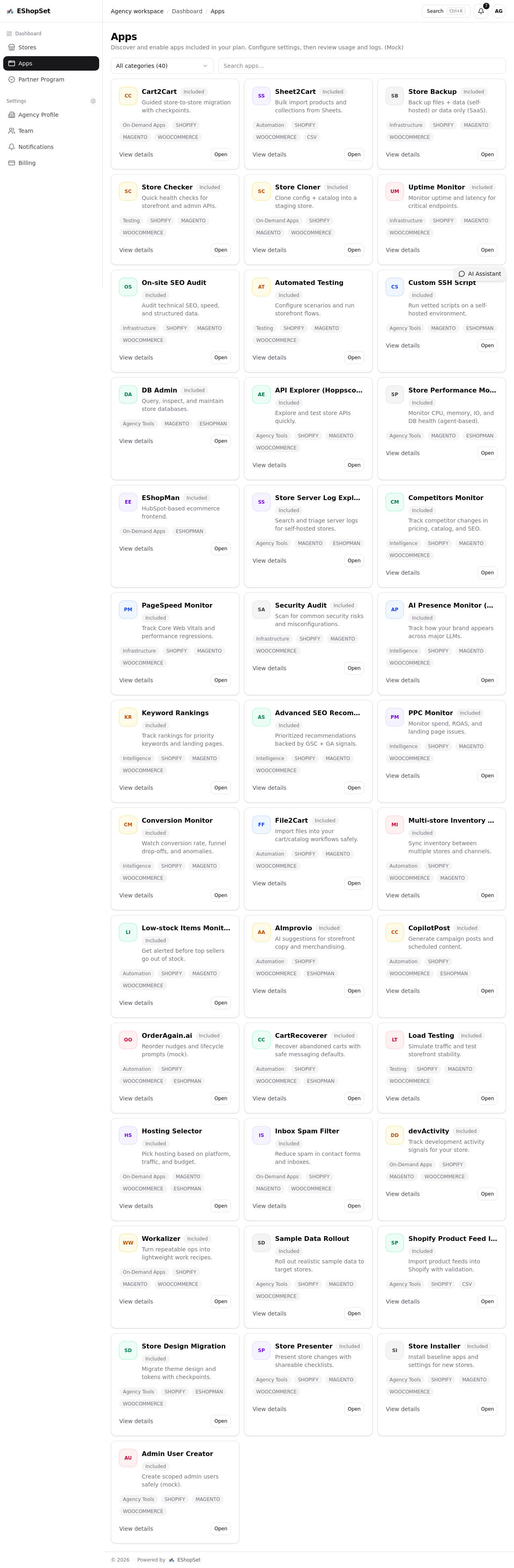
At EShopSet, we understand that a seamless customer experience relies on more than just a beautiful storefront. Our bundled apps include robust monitoring solutions to ensure your store is always open for business, safeguarding your reputation and sales. You can discover a range of powerful EShopSet apps designed to optimize your store's performance, from SEO to inventory management, ensuring your product pages are not only well-designed but also backed by reliable infrastructure.
By leveraging tools that help you monitor site health, manage inventory accurately, and optimize for speed, you build a comprehensive foundation of trust that extends beyond just the product page itself. This holistic approach ensures that every touchpoint with your brand reinforces reliability and professionalism.
Empowering Your E-commerce Journey with EShopSet
Optimizing your product pages is an ongoing journey, not a one-time fix. It requires continuous iteration, data analysis, and a keen eye for user experience. EShopSet provides store owners with an apps-first commerce operations bundle, allowing you to discover essential apps in a marketplace, enable them per store, configure settings, and track usage and logs. This empowers you to fine-tune every aspect of your online presence, from enhancing product page trust signals to ensuring your site's overall performance.
Don't overthink it to the point of paralysis. Launch, gather data, and iterate. The goal is to create a clear, trustworthy, and efficient path to purchase for your customers. By focusing on visual hierarchy and strategic placement of trust signals, you can transform a "spammy" feeling into a professional, high-converting experience that builds lasting customer confidence.